
Thunder Cloud Disk
Thunder Cloud Disk
Tips
Please use Thunder directly instead of ThunderExpert if you are not good at it.
ThunderExpert mainly provides more free settings and realizes more login methods
Thunder X serves overseas users. As of the time of document release, only the Android version is available. Other versions have not yet been released.
- Thunder X has sufficient speed even without membership. Future changes are unknown.
- Using the APP may require a proxy, but not when mounted on AList.
Thunder Browser:Currently only supports mobile phones (Android, iOS)
- https://x.xunlei.com/
- If you log in to AList, the mobile phone will be kicked offline. On the contrary, if you log in to AList first and then log in to the mobile phone, AList will be kicked offline but there will be no prompt
That is, the mobile phone number, email, and username used for login (there is a probability that you cannot log in, you need to try)
- For phone numbers, try the 11-digit number first. If login fails, try adding the
+86area code, for example+86 13722223333.
password for login
CaptchaToken usually does not need to be filled manually. If need verify: {url} appears when logging in or uploading, open the link in the error and complete the verification. The driver will save the new CaptchaToken automatically.
DeviceID can usually be left empty. The driver will generate and save one automatically. If login verification is triggered, keep the same DeviceID before retrying; changing it frequently may make the verification result unusable.
CreditKey is only used when login verification is triggered. If the following prompt appears when adding the driver, login verification has been triggered:
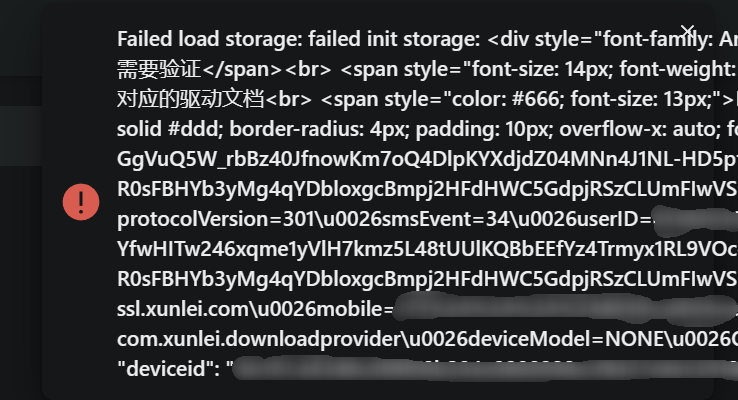
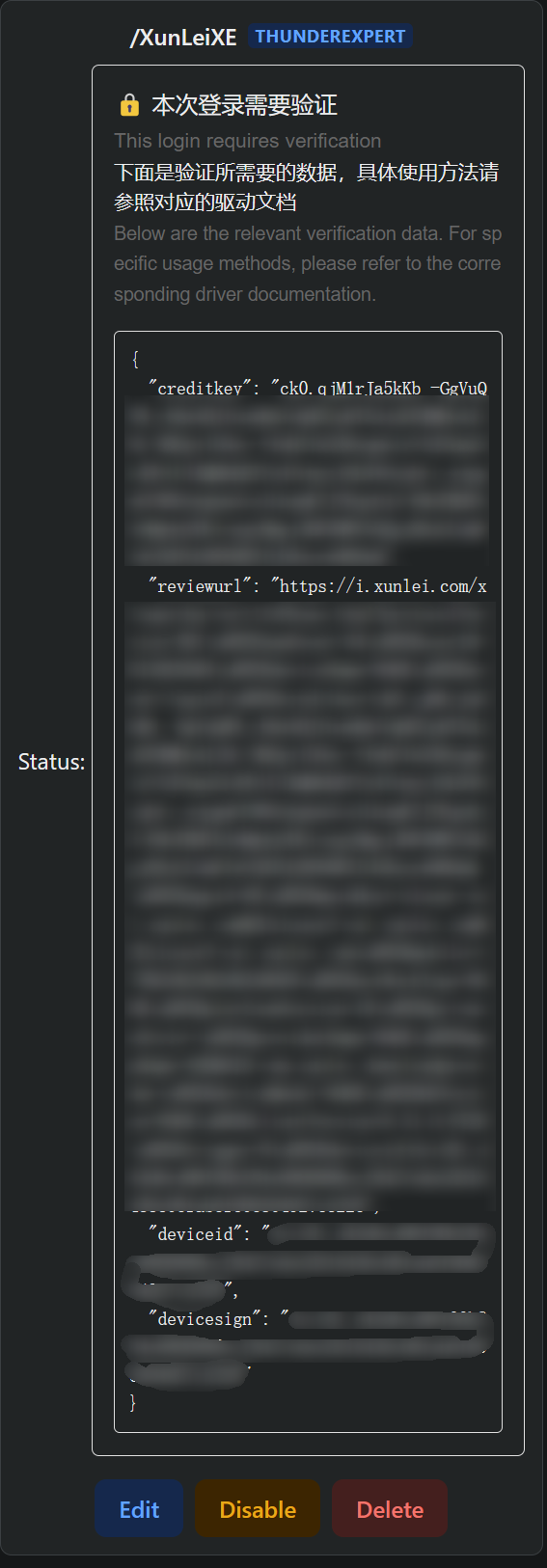
Use a computer if possible.
Copy the complete data in the box, from the first { to the last }, for example:
{
  "creditkey": "",
  "reviewurl": "",
  "deviceid": "",
  "devicesign": ""
}
Open this site:
https://i.xunlei.com/xlcaptcha/android.html
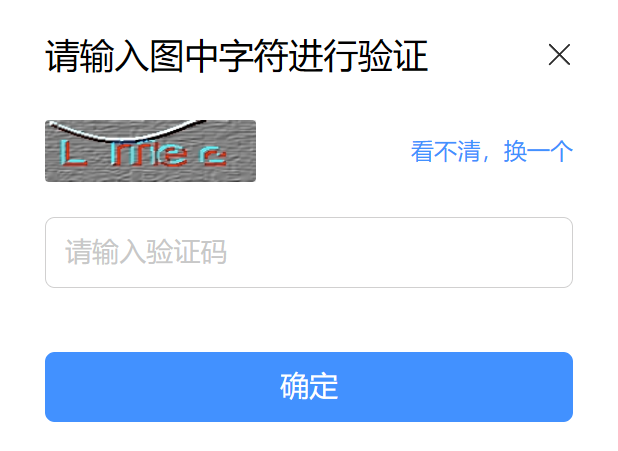
The image above shows the initial page. This captcha is unrelated to the verification required by the mount.
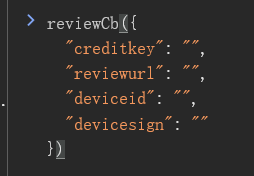
Open the browser console (F12), enter reviewCb(the copied data as the parameter), and press Enter. Example:
reviewCb({
  "creditkey": "",
  "reviewurl": "",
  "deviceid": "",
  "devicesign": ""
})
Then the page will change to SMS verification or smart detection:
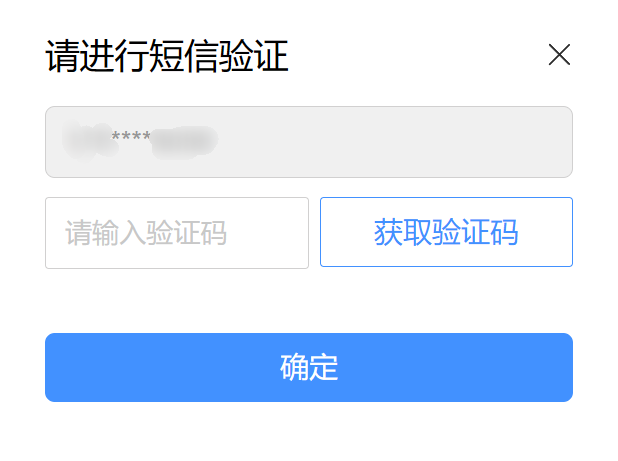
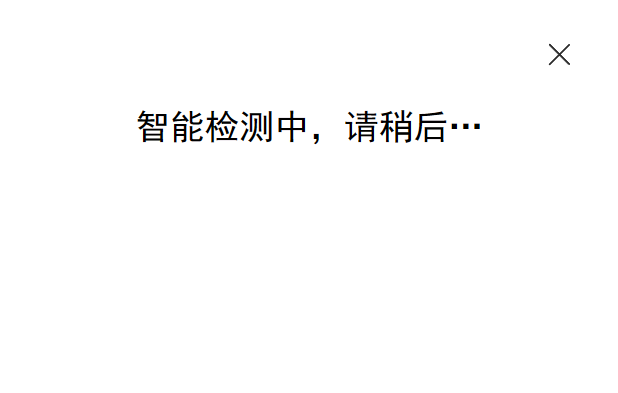
Complete the SMS verification. The smart detection page does not need to be completed. It will not redirect back to AList, and clicking the confirm button may not show any prompt.
Copy creditkey from the console, fill it into the driver's CreditKey field, then save the driver configuration.

Tips
If Xunlei needs to download, you must specify UserAgent (same as DownUserAgent below)
Or use the proxy function in this program to transfer.
When selecting User, you only need to fill in the username and password
- For phone numbers, try the 11-digit number first. If login fails, try adding the
+86area code, for example+86 13722223333.
- For phone numbers, try the 11-digit number first. If login fails, try adding the
RefreshToken: Just fill in RefreshToken when selecting RefreshToken
Algorithms: When selecting Algorithms, fill in Algorithms. The default value has been updated to the parameters built into the current driver, so normally keep the default.
Captcha sign: Only fill in CaptchaSign and Timestamp when selecting CaptchaSign
//signature algorithm
str = ClientID + ClientVersion + PackageName + DeviceID + Timestamp
for (Algorithm in Algorithms) {
    str = md5(str + Algorithm)
}
CaptchaSign = "1." + str
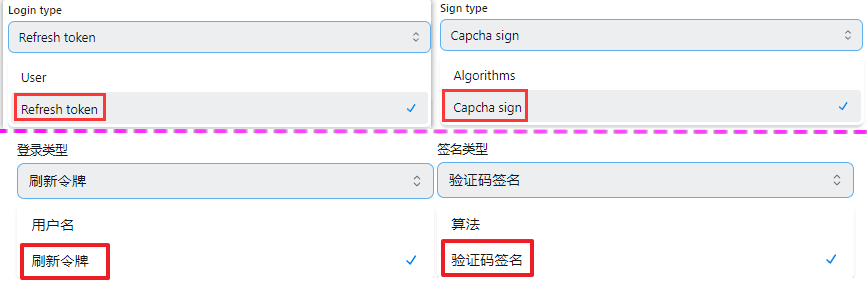
Login type and Sign type recommended options
Used to identify the login device. If left empty, the driver will generate and save one automatically. If login verification is triggered, keep the same DeviceID and retry.
These values are related to signing and login. The defaults have been updated to:
ClientID:Xp6vsxz_7IYVw2BBClientSecret:Xp6vsy4tN9toTVdMSpomVdXpRmESClientVersion:8.31.0.9726PackageName:com.xunlei.downloadprovider
Normally keep the defaults.
UserAgent used by API requests. Incorrect values may cause access failure or speed limits. The default has been updated to ANDROID-com.xunlei.downloadprovider/8.31.0.9726 ... sdkVersion/512000 ....
The User Agent used for downloading. Incorrect values may cause download failures or abnormal speed (used when proxy is enabled). Default:
Dalvik/2.1.0 (Linux; U; Android 12; M2004J7AC Build/SP1A.210812.016)
Only used when login verification is triggered. Use the same handling steps as CaptchaToken / CreditKey / DeviceID. After a successful login, the driver clears this field.
After PR #8342, username/password login for Thunder and ThunderExpert was changed:
- The driver first calls
https://xluser-ssl.xunlei.com/xluser.core.login/v3/loginto getsessionID. - It then calls
https://xluser-ssl.xunlei.com/v1/auth/signin/tokento exchange the token used by AList. - Login parameters were updated to Xunlei Android client
8.31.0.9726andsdkVersion/512000. - A
CreditKeyfield was added for login verification. - The normal
Thunderdriver can also customizeDeviceID.
Therefore, the old process of capturing v1/shield/captcha/init and v1/auth/token to obtain CaptchaSign, Timestamp, RefreshToken, and related fields is outdated. Prefer the normal Thunder driver and only fill in username and password. Use ThunderExpert only when advanced parameters or custom UserAgent are needed.
The mailbox and password used for login
It will be filled automatically without filling in manually
The default is the full directory of the empty display, If you want to use a subfolder to make the root directory, grab the request to get it
- In the request in the package
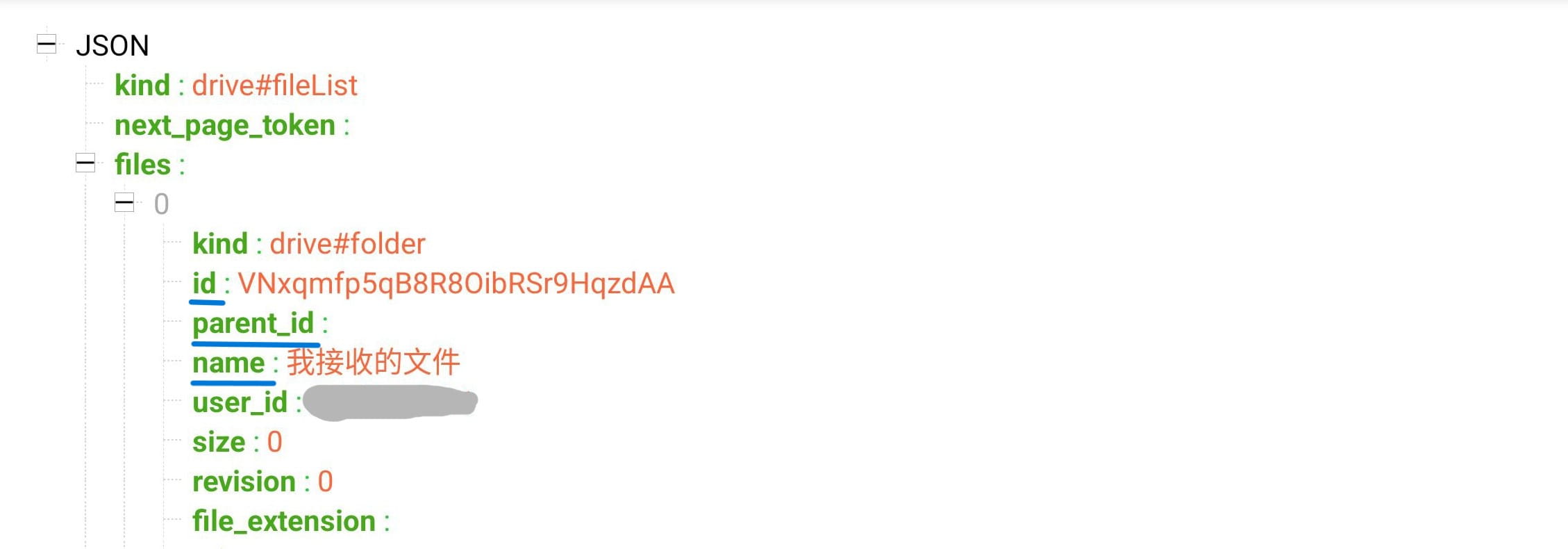
https://api-pan.xunleix.com/drive/v1/files?parent_id=&page_token=&filters=,you can get the following parameters文件夹ID(id)文件夹名称(name)父文件夹ID(parent_id)
- The
folder IDobtained in the root directory (for example :我接收的文件、我的云盘、高速云下载), This will change with different account numbers, there is no the same value, In the request in the package
The mailbox and password used for login
It will be filled automatically without filling in manually
The default is the full directory of the empty display, If you want to use a subfolder to make the root directory, grab the request to get it
- In the request in the package
https://api-pan.xunleix.com/drive/v1/files?parent_id=&page_token=&filters=,you can get the following parameters文件夹ID(id)文件夹名称(name)父文件夹ID(parent_id)
- The
folder IDobtained in the root directory (for example :我接收的文件、我的云盘、高速云下载), This will change with different account numbers, there is no the same value, In the request in the package
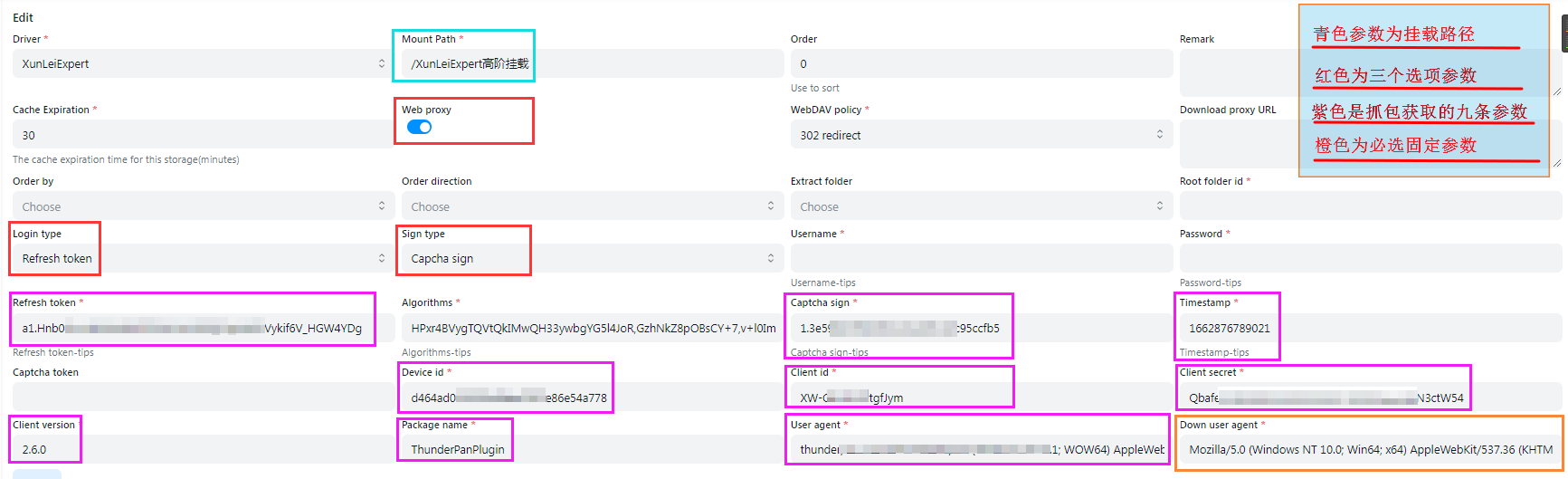
User: Only fill in the username and passwordRefresh token: Just fill inRefreshToken
Algorithms:ChooseAlgorithmsJust fill inAlgorithms(It has been automatically filled. You do n’t have to fill in it yourself. You only need to fill in the username and password.When the algorithm is not invalidated)Captcha sign: ChooseCaptcha signJust fill inCaptcha signandTimestamp
Captcha token:No need to fill inDevice id:The value calculated by MD5 is used to judge the login deviceClient id,Client secret,Client version,Package name:It related to the signature, fill in according to the actual situation
User agent:API requestsUser agent, setting errors may not access or speed limitDownload user agent:When downloading, use theuser agent,If the setting error cannot be downloaded (the agent will use it)User agentandDownload user agent:You can fill it out by yourself. If you don’t know how to fill it out, you can leave it blank and it will be automatically filled in.
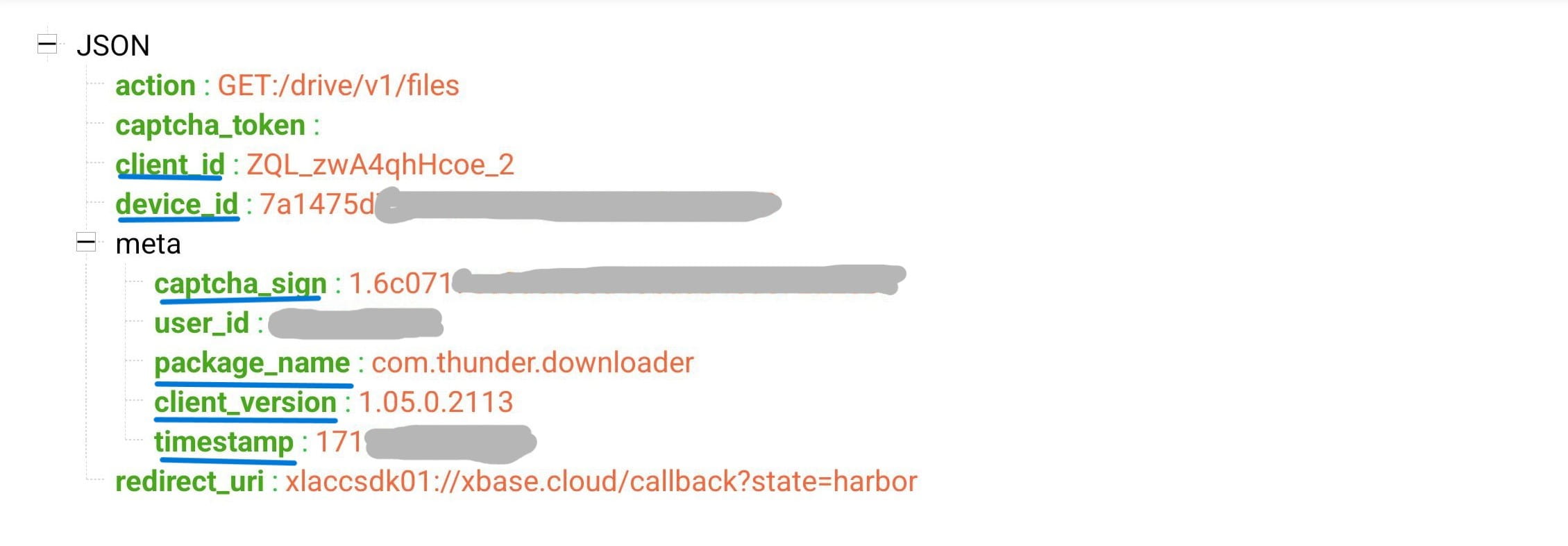
In the request in the package https://xluser-ssl.xunleix.com/v1/shield/captcha/init,you can get the following parameters6
Client id、Device id、Captcha signPackage name、Client version、Timestamp
In the request in the package https://xluser-ssl.xunleix.com/v1/auth/signin, you can get the following parameters2
Client id、Client secret

Mobile phone number, email, username, and password used to log in
- When filling in the mobile phone number, please bring the
+86area code, for example+86 13822334455
It will be filled automatically without filling in manually
The default is the full directory of the empty display, If you want to use a subfolder to make the root directory, grab the request to get it
- In the request in the package
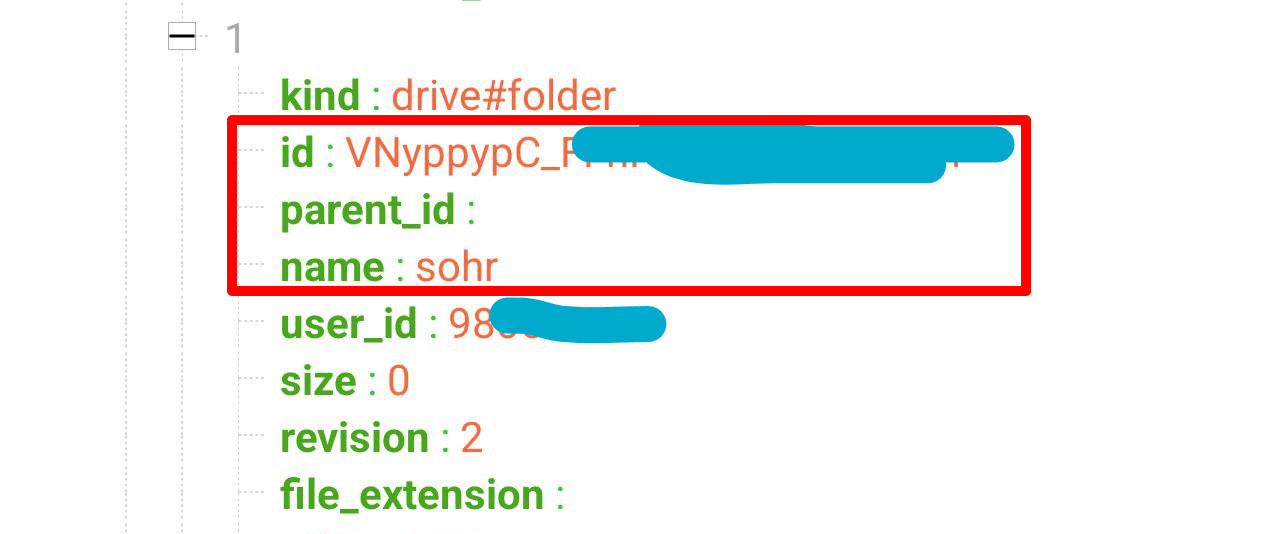
https://x-api-pan.xunlei.com/drive/v1/files?parent_id&page_token&space=,you can get the following parameters文件夹ID(id)文件夹名称(name)父文件夹ID(parent_id)
- The
folder IDobtained in the root directory (for example :来自分享、超级保险箱), This will change with different account numbers, there is no the same value, In the request in the package
Thunder Browser Safe password
- Files in Safe password can only be deleted directly and cannot be deleted to the recycle bin, so the Deletion method below has nothing to do with this configuration.
Trash:Use AList to delete files and then move them to the Recycle Bin. If you delete them accidentally, you can restore them through Thunder Cloud Disk.
Delete:Deleting it directly cannot restore it.
- When
Use video urlis turned on, some types of files may not be accessible properly. - https://github.com/alist-org/alist/pull/6464#issuecomment-2124306443
Mobile phone number, email, username, and password used to log in
- When filling in the mobile phone number, please bring the
+86area code, for example+86 13822334455
It will be filled automatically without filling in manually
The default is the full directory of the empty display, If you want to use a subfolder to make the root directory, grab the request to get it
- In the request in the package
https://x-api-pan.xunlei.com/drive/v1/files?parent_id&page_token&space=,you can get the following parameters文件夹ID(id)文件夹名称(name)父文件夹ID(parent_id)
- The
folder IDobtained in the root directory (for example :来自分享、超级保险箱), This will change with different account numbers, there is no the same value, In the request in the package
Thunder Browser Safe password
- Files in Safe password can only be deleted directly and cannot be deleted to the recycle bin, so the Deletion method below has nothing to do with this configuration.
Trash:Use AList to delete files and then move them to the Recycle Bin. If you delete them accidentally, you can restore them through Thunder Cloud
Delete:Deleting it directly cannot restore it.
User: Only fill in the username and passwordRefresh token: Just fill inRefreshToken
Algorithms:ChooseAlgorithmsJust fill inAlgorithms(It has been automatically filled. You do n’t have to fill in it yourself. You only need to fill in the username and password.When the algorithm is not invalidated)Captcha sign: ChooseCaptcha signJust fill inCaptcha signandTimestamp
Captcha token:No need to fill inDevice id:The value calculated by MD5 is used to judge the login deviceClient id,Client secret,Client version,Package name:It related to the signature, fill in according to the actual situation
User agent:API requestsUser agent, setting errors may not access or speed limitDownload user agent:When downloading, use theuser agent,If the setting error cannot be downloaded (the agent will use it)User agentandDownload user agent:You can fill it out by yourself. If you don’t know how to fill it out, you can leave it blank and it will be automatically filled in.
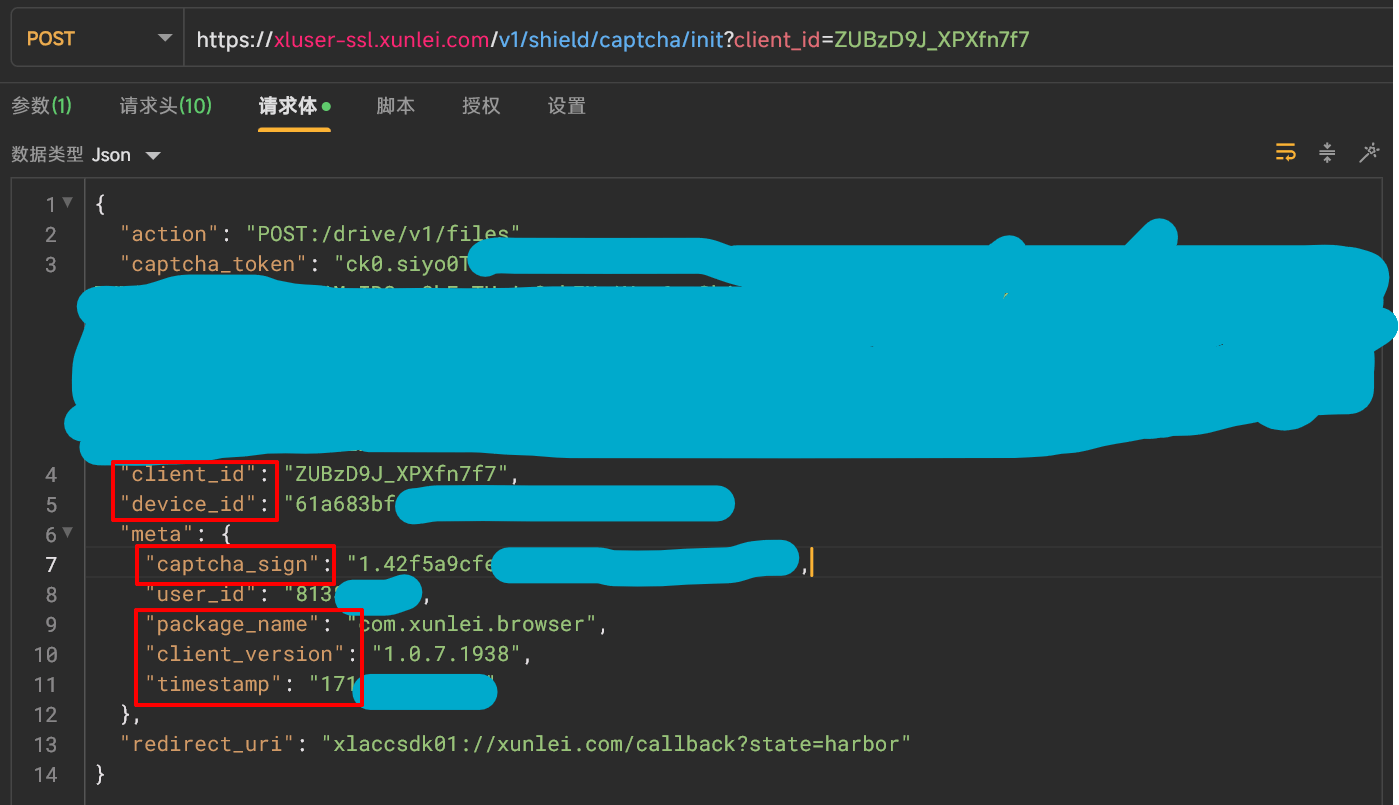
In the request in the package https://xluser-ssl.xunlei.com/v1/shield/captcha/init,you can get the following parameters6个
Client id、Device id、Captcha signPackage name、Client version、Timestamp
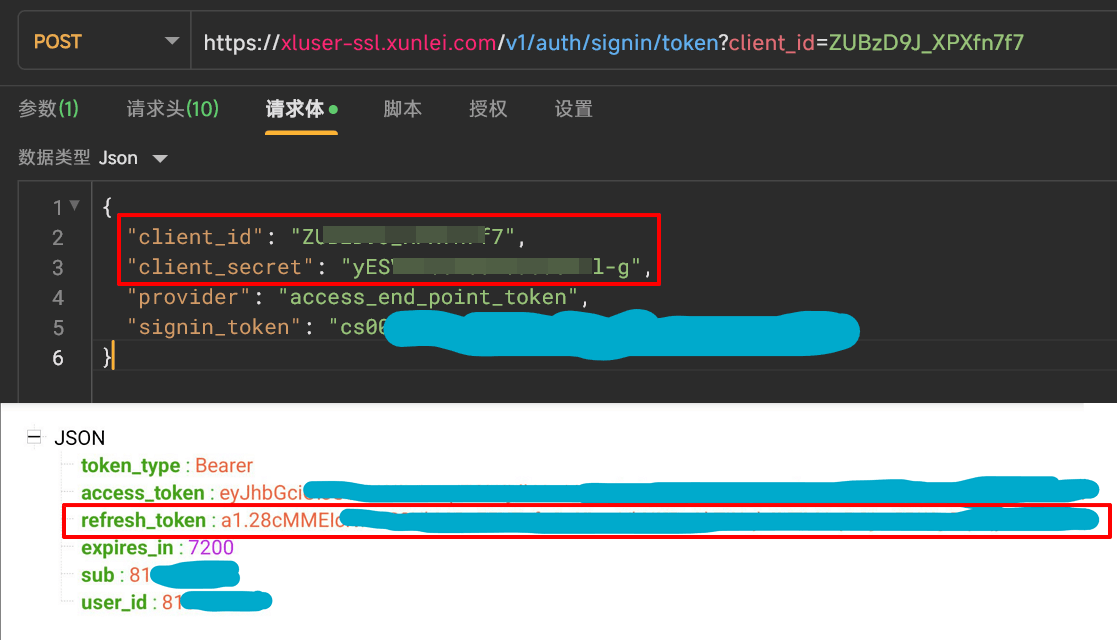
In the request in the package https://xluser-ssl.xunlei.com/v1/auth/signin/token, you can get the following parameters3
Client id、Client secret、Refresh token
- Open
Use video url可能会遇到部分类型的文件无法正常访问 - https://github.com/alist-org/alist/pull/6464#issuecomment-2124306443